
What Visual Invoice does
Visual Invoice follows an invoice from draft to tax advisor: write, issue, send, receive, check and hand over. Each feature is described here in detail, with its limits.
Write invoices
You enter the line items, Visual Invoice does the maths.
In the editor you pick the recipient from the address book or enter a new one. Line items take quantity, unit, unit price and VAT rate; Visual Invoice works out amounts, tax and totals.
You add the date or period of supply, the due date, a field for the Leitweg-ID or another reference and the invoice language: German, English, French or Spanish. Invoices you write often are saved as templates and sorted into folders.

How it works
- Choose “New invoice” or start from a template.
- Enter recipient and line items and choose “Save draft”.
- Choose “Issue”. The invoice gets its consecutive number.
Good to know
With the Basis account you write a few invoices per month, from Plus on without a tight limit. There are no recurring invoices that issue themselves. A template starts the invoice; issuing is done by hand.
Tax cases under German law
From the small business scheme to exports.
Visual Invoice knows the rules for Germany: the standard and reduced VAT rates with their validity, the zero rate since 2023, the small business scheme under § 19 UStG with the required note, the reverse charge under § 13b UStG, VAT-exempt intra-community supplies, VAT-exempt exports and supplies not taxable in Germany. For other exemptions you state the reason yourself.
Visual Invoice checks the mandatory details and numbers invoices consecutively. For a few invoices per month the free Basis account is enough, also under the small business scheme; the note under § 19 UStG is then added to the invoice automatically.
Good to know
German VAT law only. Rules for Austria, France, Spain and other countries are not included.
Issue as ZUGFeRD or XRechnung
One invoice, both formats.
When you issue it, the invoice becomes a PDF/A-3 with embedded invoice data following ZUGFeRD in the EN 16931 profile, which corresponds to Factur-X. As an XRechnung you download the same invoice in the CII or UBL syntax.
If you like, the invoice carries a GiroCode that your customers read with their banking app. Design it with your logo or, from Plus on, base it on your own letterhead.
Good to know
No sending via Peppol and no submission to government portals. For public authorities you download the XRechnung and submit it there yourself.
Send and file
From your own mailbox, from Plus on also into your filing system.
The invoice goes out by email from your own mailbox with the ZUGFeRD PDF attached. From Plus on, Visual Invoice also files it via WebDAV or in paperless-ngx.
Good to know
No filing to Dropbox, Google Drive or OneDrive.
Paid, cancelled, corrected
Open amounts at a glance, corrections offset cleanly.
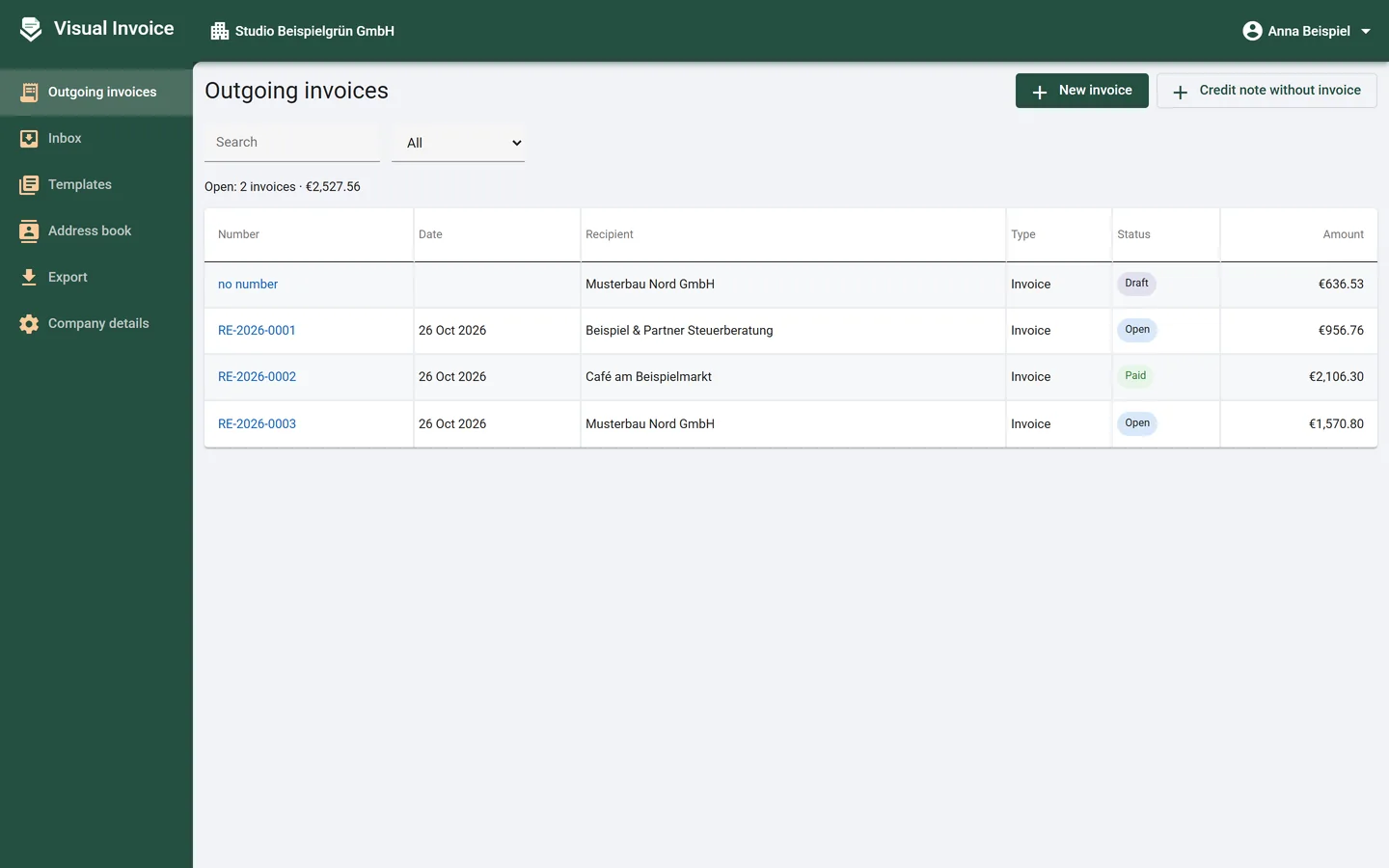
Issued invoices are listed with status and amount, with the total of open amounts above. You record payments, duplicate an invoice, cancel it with a cancellation invoice or issue a corrective invoice or credit note.
Visual Invoice offsets corrections and credit notes against the open remainder of the original invoice; refunds are recorded the same way.
Good to know
No payment reminders and no dunning.
Received invoices
From Plus on, you file received invoices in the inbox.
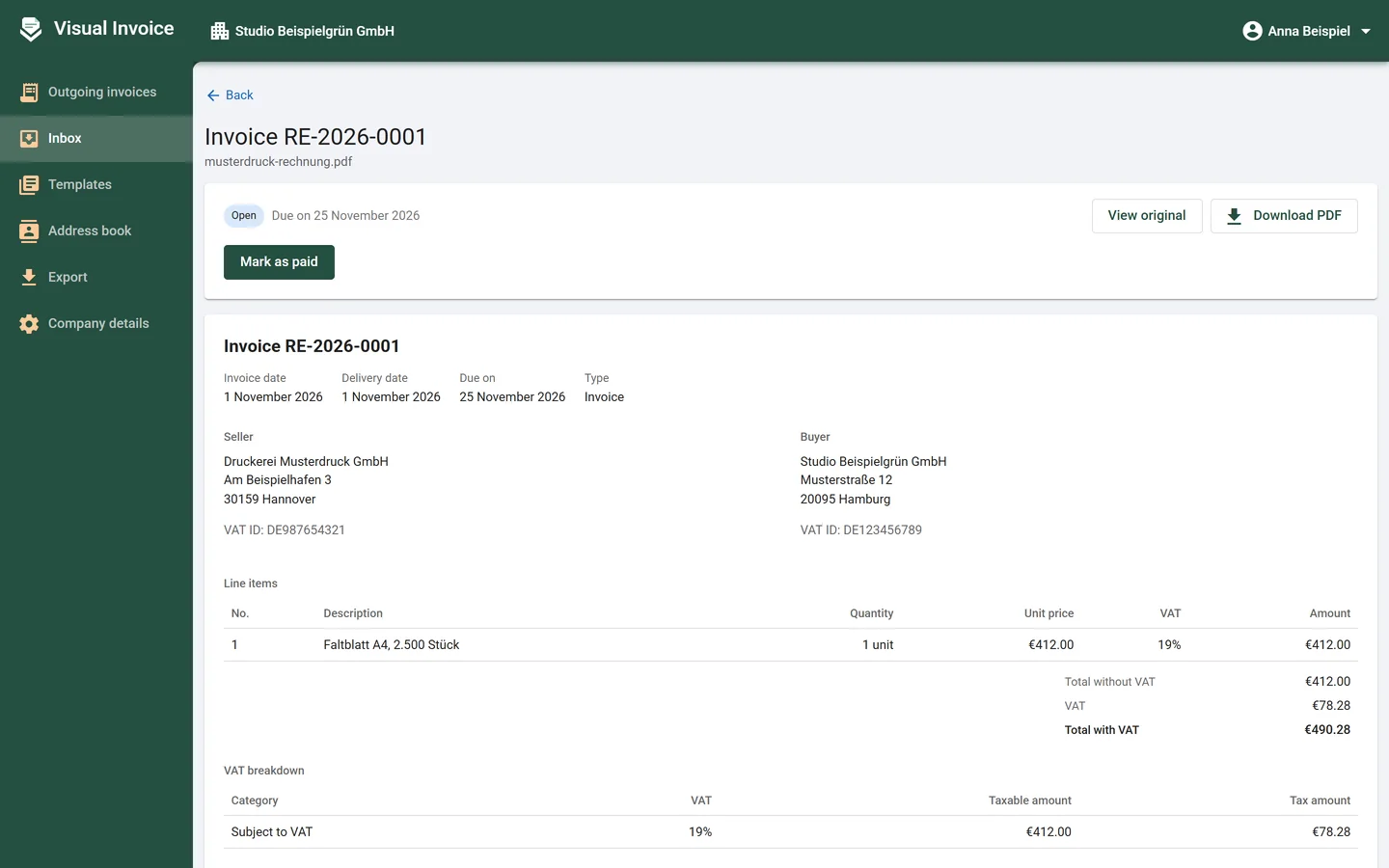
Visual Invoice reads e-invoices in ZUGFeRD, Factur-X, XRechnung or UBL completely and keeps the original. You mark received invoices as paid when you pay them.
Scans, photos and PDFs without invoice data can be read by an Anthropic AI model using your own access key. The file is sent to Anthropic for this; you compare the details with the original and confirm them.
How it works
- Put the file into the inbox.
- If it has no invoice data, choose “Read with AI”.
- Compare the details with the original and choose “Details are correct”.
Good to know
Receipts reach the inbox by upload or through the API. There is no dedicated email address for receiving invoices. Viewing and checking alone also works without an account, with the free reader.
Check and convert
Against the rules of EN 16931, with findings in plain words.
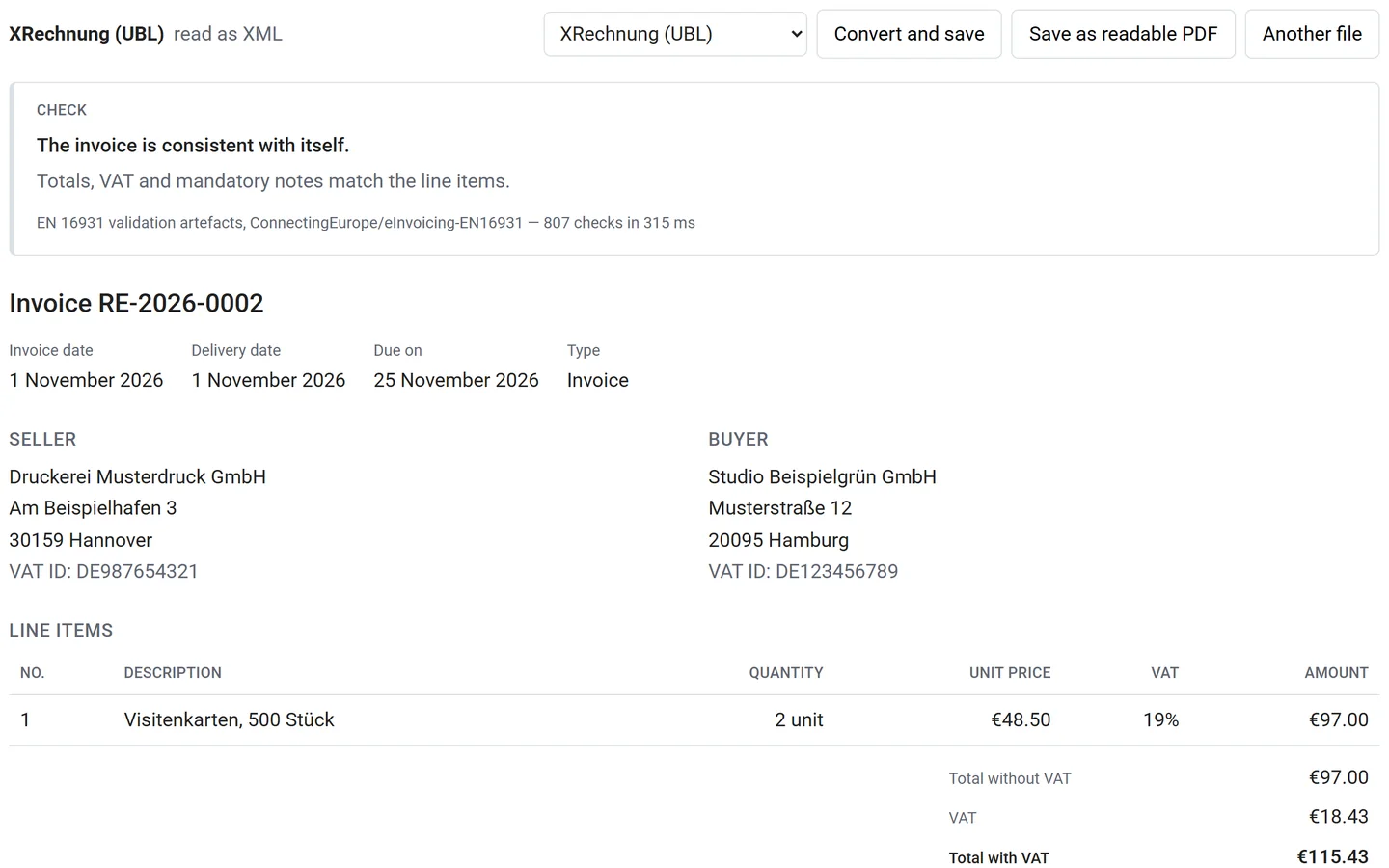
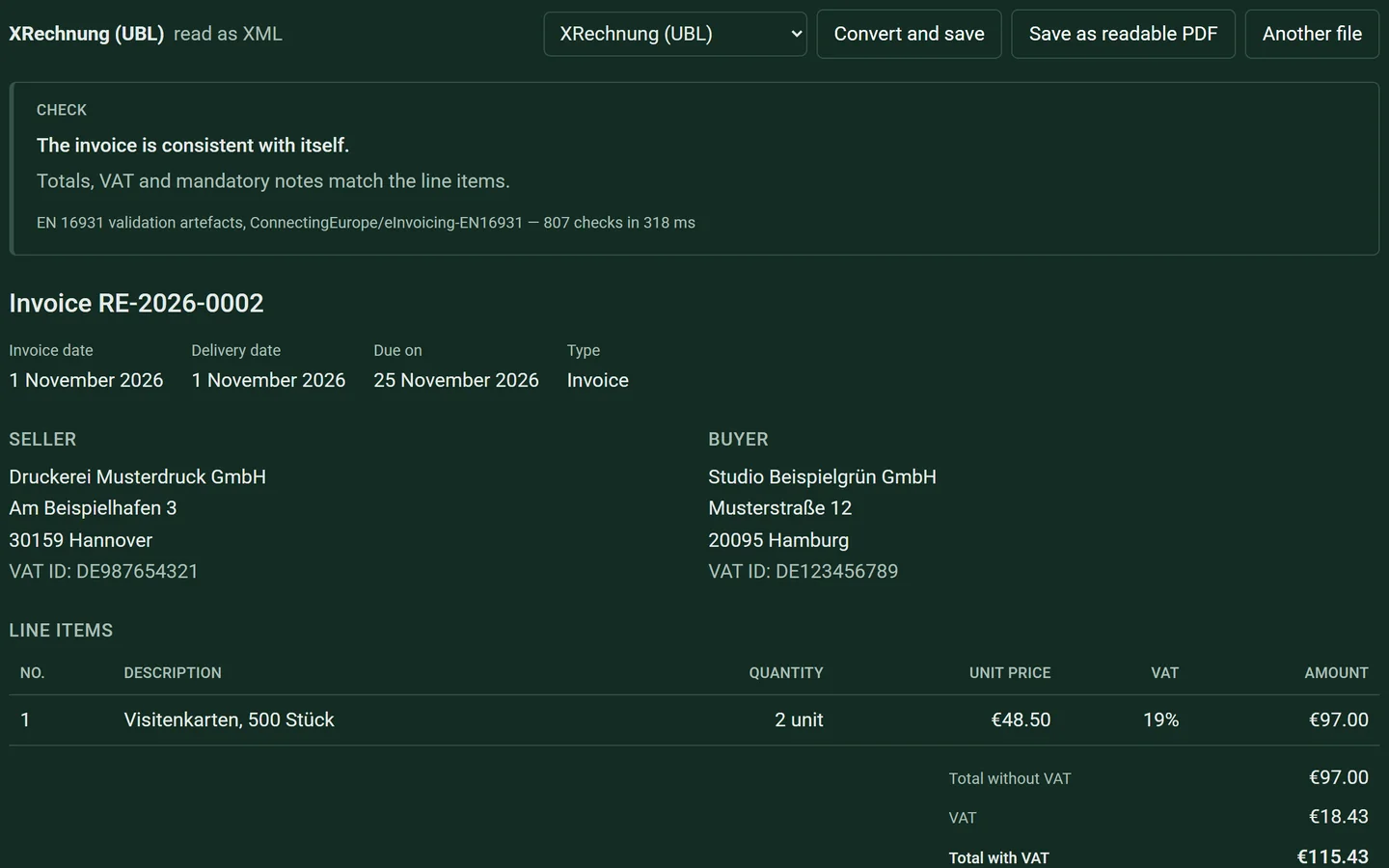
Visual Invoice checks e-invoices against the official rules of the European standard EN 16931 and recalculates totals and taxes. Every finding is explained in plain words.
You can convert an XRechnung to a readable PDF or to ZUGFeRD / Factur-X, and convert between XRechnung (CII or UBL) and UBL following Peppol BIS. The same tool is available without an account on the reader page; your file stays in your browser there.
Good to know
Visual Invoice does not check the additional XRechnung rules or the PDF/A standard.
Monthly hand-over to your tax advisor
One month, one file, with checksums.
From Plus on, Visual Invoice puts all invoices of a month into one file: outgoing and received invoices, lists for Excel, an overview with net, VAT and gross, and a checksum for every file.
It also points out gaps in the numbering, invoices without an original, AI readings nobody has confirmed yet, receipts without an invoice date and open drafts.
How it works
- Choose the month.
- Go through the notes on numbering, originals and open details.
- Choose “Download export” and pass the file to your tax advisor.
Good to know
No DATEV format. The lists are CSV files. From Pro on, your tax advisor can also read along and export.
For firms and teams
Clients, staff and tax advisor, each with their own role.
Tax advisors and bookkeeping firms set up their clients themselves and see them in one overview. Clients get access through an invitation and file their invoices themselves.
Everyone has a role: owner, member, tax advisor who reads along and exports, or read only. Businesses with several companies or a team choose Pro; there you also invite your tax advisor.
API and MCP server
Your own programs and AI assistants can work with it too.
With an API key, your own programs work with Visual Invoice. The MCP server gives AI assistants tools to read the company profile, list invoices and contacts, create drafts or start from a template, suggest line items, issue, send, write credit notes, record payments, file received invoices and fetch the monthly summary.
Good to know
Basis: API to try out, without MCP. Plus: for your own use. Pro: full use.
On phone and computer
In the browser, installable, in four languages.
Visual Invoice runs in the browser and can be installed like an app on phone and computer. Interface and invoices are available in German, English, French and Spanish.
